Free Day Planner - KDP Interior: A Practical Guide to Quality and Customization
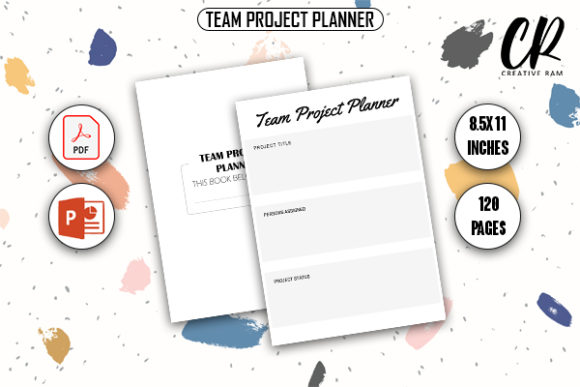
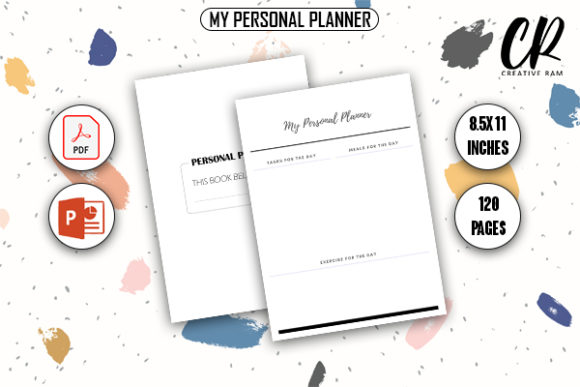
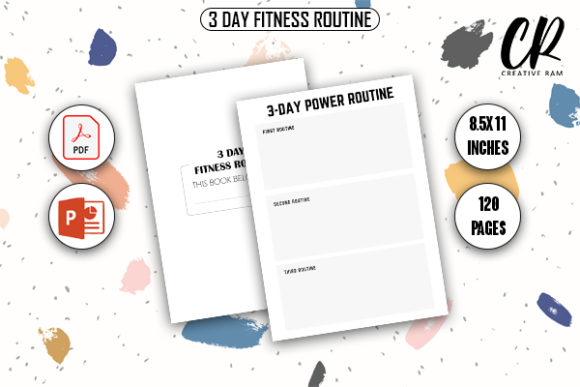
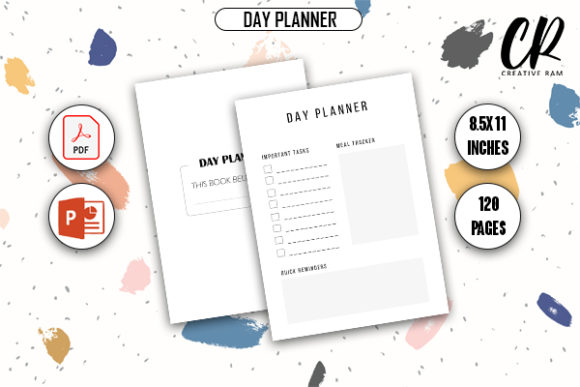
Launching a low-content book on Amazon requires more than just uploading a file; it demands attention to technical precision and market viability. When you utilize a Free Day Planner - KDP Interior, you are accessing a foundational tool that can accelerate your publishing timeline. However, the "free" aspect often leads creators to bypass essential quality checks. This resource typically includes a 120-page layout at 8.5″ x 11″ inches with bleed, provided in both PDF and PPTX formats. While this specification is standard for many productivity journals, understanding how to properly implement these files is what separates professional publications from amateur submissions that receive negative reviews or get rejected during the printing review process.
Understanding the Technical Specifications Before Upload
The most frequent error occurs when publishers assume the provided dimensions are merely suggestions rather than strict manufacturing requirements. The 8.5″ x 11″ dimension with bleed is a specific trim size that alters how your content sits on the physical page. Bleed means the design extends beyond the final cut line, usually by 0.125 inches on the top, bottom, and outside edges. If you open the source files and immediately add graphics or text without verifying the margin safety zones, your planner may arrive with cropped headers or misaligned binding gutters.
Always verify the interior file against Amazon’s current cover calculator and manuscript guidelines before uploading. Even if the Free Day Planner - KDP Interior is labeled as print-ready, software updates or personal modifications can shift elements. Open the high-quality PDF in a viewer that displays rulers and guides. Measure the safe zone. Ensure that no critical text, such as dates or daily prompts, falls within the inner gutter margin, which varies based on page count. With 120 pages, the gutter will be significant enough to swallow text placed too close to the spine. Correcting this before upload prevents the heartbreak of ordering a proof copy only to find the Monday column unreadable.
Evaluating Print-Ready PDFs Versus Source Files
A common misunderstanding involves the distinction between the ready-to-upload PDF and the editable PPTX source files. Many beginners mistakenly upload the PowerPoint file directly to KDP or attempt to convert it using free online tools that compress resolution. This results in pixelated lines and gray backgrounds where pure black should exist. The high-quality print-ready PDF included in this package is calibrated for commercial digital printing. It uses the correct color profile and resolution (typically 300 DPI) to ensure crisp text and clean lines.
Use the PPTX file strictly for customization, not as a final deliverable. If you need to modify the layout, edit the source file and then export it as a high-resolution PDF using professional settings. Do not rely on "Save As PDF" defaults in presentation software, as these often optimize for screen viewing rather than ink deposition. Always inspect the exported file at 100% zoom. If the lines look jagged or the text appears fuzzy on your screen, they will look worse in print. Taking the extra step to validate file integrity ensures your planner looks as professional as traditionally published competitors.
Avoiding Design Saturation and Usability Errors
Because this interior is freely available, there is a risk of market saturation. Simply uploading the unaltered 120-page template puts you in direct competition with hundreds of identical listings. To avoid poor sales performance, treat the Free Day Planner - KDP Interior as a skeleton rather than a finished product. Utilize the PPTX source files to differentiate your offering. This does not necessarily mean redesigning every page. Small, strategic changes can significantly improve usability and perceived value.
- Add Niche-Specific Prompts: Generic planners serve everyone and no one. Customize the daily reflection section to target specific audiences like nurses, teachers, or real estate agents.
- Incorporate Branding Elements: Add a subtle logo, unique header font, or proprietary tracking system to create intellectual property distinct from the base template.
- Adjust Page Flow: Consider adding introductory pages, goal-setting worksheets, or monthly overviews that complement the daily structure.
- Test Paper Opacity: Standard KDP white paper is 55# weight. Heavy ink coverage or dark background blocks in the free template may cause bleed-through. Test print a few pages at home to gauge usability with gel pens or markers.
Neglecting these customizations affects more than just sales rank; it impacts user satisfaction. A planner that feels generic or difficult to use generates returns and negative feedback. By investing time in editing the source files, you transform a free commodity into a valuable, specialized tool.
Checking Licensing and Commercial Rights
Before making any business decisions based on free assets, thoroughly review the licensing terms associated with the download. Not all free interiors grant unrestricted commercial rights. Some licenses require attribution, limit the number of copies sold, or prohibit the use of the file in multiple products. Overlooking this detail can lead to account suspension or legal complications. Verify that the license explicitly permits commercial distribution on Amazon KDP. Keep a record of the license agreement and your download receipt. This documentation serves as protection if Amazon ever requests proof of rights during a routine audit. Responsible publishing involves respecting intellectual property boundaries while building your own brand equity.
Optimizing the 120-Page Count for Profitability
The 120-page specification is a practical choice for a day planner, but it requires financial awareness. Printing costs are determined by page count, ink type, and trim size. Before setting your price, calculate the exact printing cost for an 8.5″ x 11″ book with 120 pages and bleed. Ensure your royalty margin aligns with your business goals. A common mistake is pricing based on competitor averages rather than actual production costs. If similar planners are priced lower because they use fewer pages or different trim sizes, you cannot simply match their price without sacrificing profit.
Consider whether all 120 pages are necessary for your specific niche. The PPTX source files allow you to remove or add pages. A 90-day intensive planner might only need 100 pages, reducing printing costs and allowing for a more competitive price point. Conversely, a comprehensive annual planner might benefit from additional note-taking sections to justify a higher price. Use the flexibility of the source files to optimize the physical product for both user experience and unit economics. Efficiency in page count translates directly to sustainability in your publishing business.
Final Pre-Publication Checklist
Success with a Free Day Planner - KDP Interior depends on disciplined execution. Before hitting publish, run through a final verification process. Confirm the PDF dimensions include proper bleed allowance. Validate that all editable elements have been flattened or secured to prevent customer tampering if you offer digital versions elsewhere. Check that the spine width calculation matches the exact 120-page count, as even a slight deviation causes cover misalignment. Order a physical proof copy to test the writing experience, binding durability, and overall aesthetic appeal. This tangible quality check is non-negotiable. Digital previews cannot replicate the tactile reality of a planner. By combining the accessibility of free resources with rigorous professional standards, you create products that genuinely serve users and sustain your creative enterprise.